Jatayu AI Reel Editing: Build a Respectful Ramayana-Inspired Scene
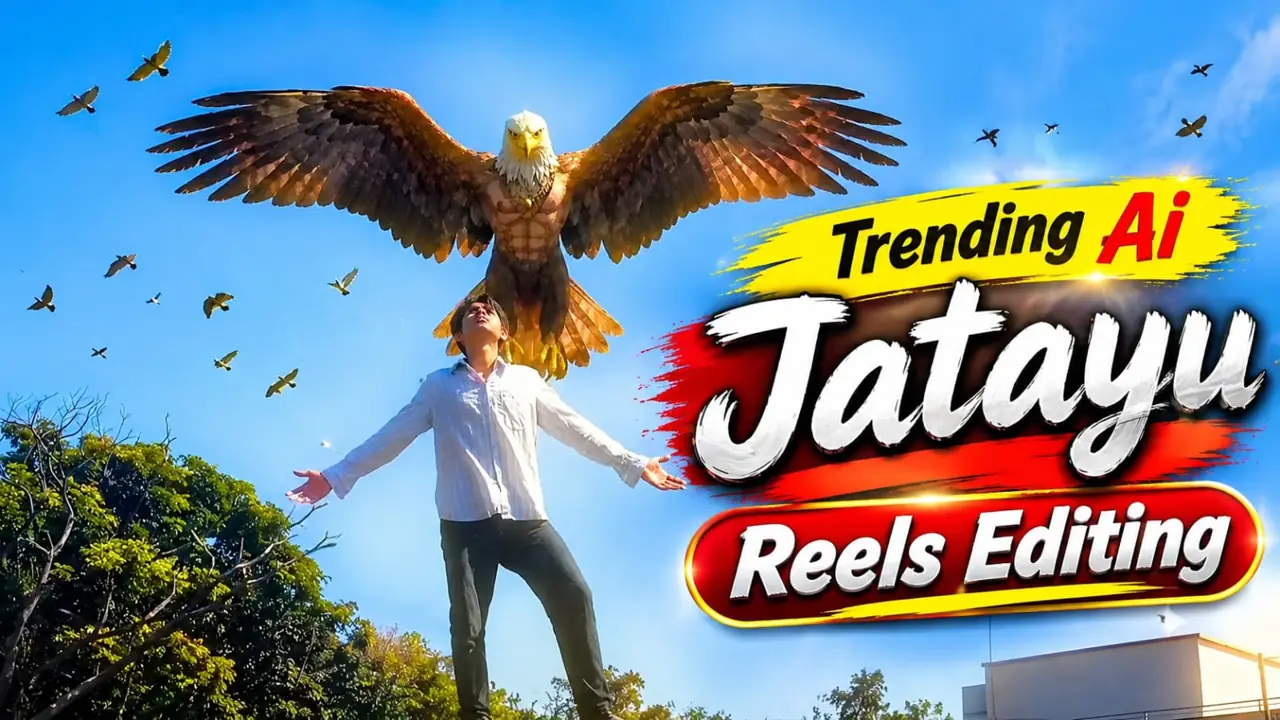
Jatayu AI Reel Editing is the starting point for this original HilluBhai editing walkthrough. Explore our VN Reels editing guide for related ideas, then follow the practical creative plan below to give your own footage a clear story.
Plan the pictures first, then choose the effects. The suggestions below are a creative workflow, not a claim that one template guarantees viral reach.
Start with one dramatic moment
Choose a single storytelling moment: Jatayu spreading his wings, a distant aerial confrontation or a quiet heroic silhouette. A short sequence becomes easier to control when the viewer can understand its subject immediately. Avoid trying to compress an entire episode into one crowded generated image.
Write an original visual prompt
Try: A majestic ancient bird guardian above a forest valley at sunset, wings outstretched, dignified expression, Indian epic-inspired painted realism, dramatic clouds, no text, no graphic injury. This is an original starting prompt. Adjust the visual style consistently rather than borrowing a film poster and presenting it as new footage.
Create a sequence of stills
Generate or draw a wide view, a closer view and a final resting composition. Describe the same wing colours, feather pattern and environment in each prompt. Compare the images side by side. A sudden change in anatomy or lighting can break the story even when each individual image looks attractive.
Animate only a few elements
For image-to-video work, ask for slow wing movement, drifting clouds and a restrained camera push. Large rotations can expose inconsistent anatomy. Render a short test before committing to a long clip. Keep the strongest generated frame as an alternative still if the motion becomes unstable.
Edit for dignity and clarity
Use pauses to let the emotional moment register. A soft fade or a simple cut often serves the subject better than aggressive flashing. Keep captions factual and restrained. Do not present an invented scene as recovered footage, an official movie clip or proof of an event.
Label the finished work
Describe the result as an AI-generated or illustrated Ramayana-inspired interpretation. Review religious imagery for accidental distortions before sharing. Choose music you have permission to use, and make the story readable even when watched without sound.
Choose a workflow before editing
For an AI edit, use an image or video tool available to you and follow its current controls. Feature names and availability vary. The example prompt above is an original creative starting point, not an official preset or a promise of identical results. Save a still-image fallback in case a generated motion clip introduces distracting changes.
Prepare and import your media
Keep your selected originals in one folder and remove accidental duplicates. Open a regular project for a manual edit, or use VN’s template import controls for a legitimate creator-supplied file. Follow the prompts shown in your version. Preview every replacement rather than assuming the first crop is correct. Preserve the original files so that a mistaken edit does not become your only copy.
Export a short test first
Use 1080p as a practical starting point when your source material supports it. For a typical photo sequence, 30 fps is a reasonable first test; match moving footage appropriately instead of choosing a higher number automatically. Check the rendered video in your gallery for sharpness, audio timing, black edges and clipped captions. A higher export resolution cannot restore detail absent from the source.
Post with the right permissions
Use photographs and audio that you are entitled to publish. A template does not automatically grant every music licence or permission to repost another person’s image. Credit the actual template creator where required. Add music through the platform’s available library only when its terms fit your intended use. Keep the editable project alongside the final render so you can correct an error without rebuilding the entire sequence.
Build a simple visual storyboard
Write three short descriptions before generating anything: the guardian enters, the danger becomes clear, and the scene resolves into a dignified final image. Give each description one dominant action. This helps you avoid spending time on attractive frames that do not connect. For a forest setting, repeat the same time of day and landscape details in every prompt. If a result introduces unwanted weapons, distorted faces or confusing symbols, revise the prompt and regenerate that frame. Review the sequence for respectful treatment with someone familiar with the story before sharing it.
Final review checklist
| Check | What to look for |
|---|---|
| Framing | Important details stay visible from beginning to end. |
| Timing | Images and text remain readable at normal speed. |
| Export | The saved video matches your intended shape and sound. |
Topic reference and preview image: Ghaus Editz. Preview rights remain with their respective owners. This HilluBhai tutorial is independently written; the image is a source preview, not proof of a tested template. Reference title: Ai Trending Ramayana Jatayu Scene Reels Editing Tutorial | Instagram Viral Jatayu Editing – Ghaus Editz. No third-party branding has been removed.


Post Comment