Tum Ho To (Saiyaara) VN Template QR Code: Turn Your Memories Into a Romantic Reel
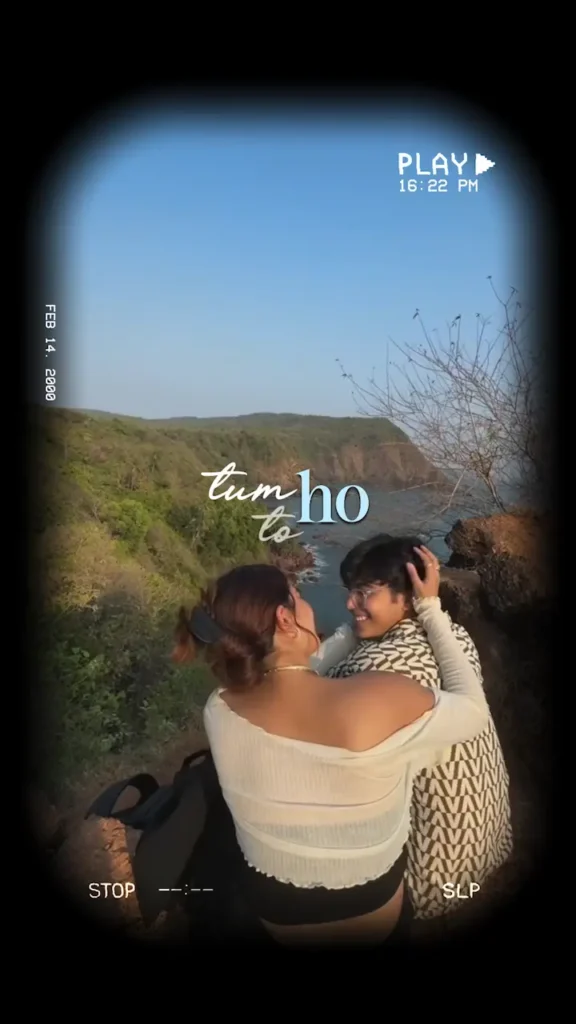
Looking for the Tum Ho To (Saiyaara) VN Template QR Code? This guide explains where the matching template is listed, how to import a creator’s QR and how to prepare a romantic memory Reel. For more ideas, explore our Instagram Reels VN template guide before choosing your footage.
Romantic Reel editing • VN template guide
A personal story works better than a random slideshow. Choose a few meaningful moments, fit them carefully into the template and let the edit support the memories.
Updated November 19, 2026. This is an access-and-editing guide, not a free QR-code download.
Tum Ho To VN template: availability and price
VN Codes lists “Tum ho to by Saiyaara – VN Template QR Code” as a paid couple template at ₹99 when checked. The seller describes delivery through an email download link and account access after payment. It says users can replace photos and videos and edit text.
To locate it, manually open the VN Codes website, search the exact product title and compare the listing with the preview you want. Do not assume a similarly named edit has the same timing or effects. The seller’s claims about delivery and compatibility remain its responsibility.
Prepare your photos before scanning
Start with a small folder of original images rather than copies saved repeatedly from social media. Pick a clear opening shot, a few moments that belong together and an ending you would be happy to leave on screen. You can use a journey, a celebration or everyday memories as your organising idea.
A simple sequence could move from a place to a shared activity and then to a close-up. This is a creative suggestion, not the verified order of the paid template. Let the actual media slots determine how many items you finally use.
Check that the people shown are comfortable with the post. Remove images that reveal private information in the background, such as tickets, addresses or a phone screen. Do this before importing so that you are not trying to repair a rushed export later.
How to use a Tum Ho To VN QR code
- Obtain the original QR. Use the seller’s authorised delivery after purchasing, or a code the creator has explicitly made available.
- Open VN’s Scan tool. Import the complete QR image using the available image-selection control, or scan it from another screen. Button positions may vary.
- Load the template. Follow VN’s download and use prompts. Choose your media when the slots appear.
- Check each replacement. Preview the result and adjust the crop so the important part stays visible.
- Save and export separately. Keep an editable project, then render a video for your device’s album.
A QR is a way to open a shared template, not a guarantee that every part of it is editable. VN’s help documentation explains that creators can restrict timeline editing and frame changes. If a control is locked, check the template’s permissions rather than assuming your app is broken.
Make the finished Reel feel personal
Replace generic captions with short, original words that match your images. A date, a place or a small memory often works better than a long paragraph. Read every line at normal playback speed: if you cannot finish it comfortably, shorten it.
Keep a consistent mood across your footage. A bright outdoor photo placed between two very dark clips may feel abrupt. Try another shot or make a modest exposure adjustment instead of pushing one image through an extreme filter.
Leave breathing room around faces and important text. A romantic edit does not need every frame packed with stickers. Preview the opening and ending together as well; a natural final image makes the sequence feel intentional.
Export settings: a practical starting point
| Setting | Suggested starting point | Check before posting |
|---|---|---|
| Canvas | Keep the template’s intended shape | Faces and captions remain inside the frame |
| Resolution | 1080p where supported | Original media is sharp enough |
| Frame rate | 30 fps for a typical photo-based edit | Motion looks smooth in a test export |
| Audio | Preview at a comfortable volume | Music permissions suit your intended use |
These are starting points, not guaranteed settings for every file. Higher numbers cannot recover detail missing from the original photo. Export a short test and watch it in your gallery before creating the final version.
Music, credits and posting
Access to a template does not automatically establish music rights for every platform or commercial purpose. Check the permissions for the audio you use. If you add music inside Instagram, confirm that the track is available to your account and intended post type.
Credit the template creator when required, and keep your own caption clear. Avoid promises that an edit will definitely go viral. The result depends on your footage, presentation and audience, not simply on scanning a code.
If the template does not open
Use a clear, uncropped QR image and check your connection. If access is password-protected, expired or unavailable, contact the provider that supplied it. Do not share your account password with someone offering to “unlock” a template.
Keep the purchase confirmation and explain the exact problem to the seller. A screenshot of the error and your VN version can make support more useful. Do not post the paid QR publicly while seeking help.
Sources: VN Codes’ matching product listing and VN Help Center guidance on using and sharing templates, checked November 19, 2026. Seller price and access terms may change. Thumbnail credit: VN Codes (vncodes.in), original template preview supplied on its Tum Ho To product page. Rights belong to the respective owners. This preview is not a scannable VN code.


Post Comment