Trending Ai Diwali Reels Editing Tutorial – Instagram Viral Diwali 2026 Video Editing
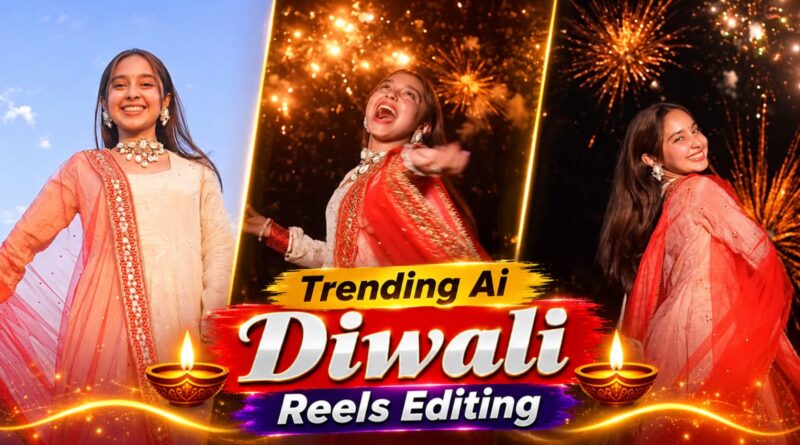
Diwali 2026 is bringing a new wave of creative content to Instagram, and AI-powered festival reels are becoming an exciting way to celebrate online. From cinematic traditional outfits to glowing diyas, magical backgrounds, firework effects, and dramatic transitions, creators are using AI editing techniques to give their Diwali videos a professional look.
The best part? You don’t need an expensive camera or advanced editing experience. With a few photos, a creative AI prompt, and a mobile video editing app, you can create eye-catching Diwali reels for Instagram.
In this tutorial, we will explain how to create trending AI Diwali reels, generate festive AI images, add cinematic effects, and edit a complete Instagram-ready video for Diwali 2026.
What Is the Trending AI Diwali Reels Editing Trend?
AI Diwali reels are short festival-themed videos created using artificial intelligence and video editing applications. These videos usually combine personal photographs, AI-generated festive backgrounds, animation, music, and cinematic transitions.
Some popular creative concepts include:
- Traditional Indian outfits with a royal Diwali background.
- AI-generated portraits surrounded by glowing diyas.
- Cinematic fireworks appearing behind a person.
- Before-and-after transformations using AI effects.
- Magical Diwali wishes with animated lights and decorations.
- Slow-motion festival videos with golden lighting.
These concepts can help creators make their Instagram profiles look more festive and visually appealing.
What Do You Need to Create an AI Diwali Reel?
Before starting the editing process, arrange a few basic things.
| Requirement | Purpose |
|---|---|
| Smartphone | Capture or upload your photos |
| Clear photograph | Main subject of the reel |
| AI image generator | Create festive backgrounds and effects |
| Video editing app | Add transitions and music |
| Diwali music | Give the reel a festive atmosphere |
| Internet connection | Access online AI tools |
You can experiment with tools such as Canva, CapCut (where available), Adobe Express, and other AI image-generation platforms. Features and availability may vary by region.
How to Create a Trending AI Diwali Reel in 2026
Follow these steps to create your own festival-themed Instagram video.
Watch Trending AI Diwali Reel
Watch the viral Diwali transition video and get inspired to create your own Instagram reel.
Trending AI Diwali Reels Video Prompt
Create a cinematic Diwali transition video using this detailed AI prompt.
🎥 Copy Your AI Video Prompt
ASPECT RATIO: 9:16Step 1: Select Your Best Photograph
Choose a clear photograph with good lighting. A portrait wearing traditional Indian clothing can work particularly well.
Make sure your face is visible and the photograph is not blurry. A high-quality image generally produces better results.
Step 2: Generate a Diwali-Themed AI Image
Open your preferred AI image generator and upload your photograph if the tool supports image references.
Use a creative prompt to generate a festive background while keeping your appearance natural.
Example AI Diwali Image Prompt:
“Create a beautiful cinematic Diwali festival portrait using the uploaded reference photo. Keep the person’s facial identity and natural appearance consistent. Dress the person in elegant traditional Indian clothing, with a beautifully decorated Indian home, glowing diyas, golden fairy lights, colourful rangoli, and sparkling fireworks in the background. Add warm cinematic lighting, realistic details, premium photography quality, and a festive atmosphere. Vertical 9:16 composition.”
You can experiment with different outfits, decorations, colours, and backgrounds to create multiple versions.
Step 3: Turn Your AI Image Into a Video
Once your image is ready, import it into an AI video-generation tool that supports image-to-video animation.
Try adding subtle movements such as:
- Flickering diya flames.
- Moving fairy lights.
- Slowly appearing fireworks.
- Gentle camera zoom.
- Floating golden particles.
Avoid adding too many effects because excessive animation can make the video look artificial.
Step 4: Edit Your Video Using a Mobile App
Now open your preferred video editor and import the generated clips.
Arrange your clips according to the story you want to tell. Use smooth transitions and keep the most attractive visual in the opening seconds.
For a professional result, try these editing settings:
- Aspect ratio: 9:16.
- Resolution: 1080 × 1920 pixels.
- Frame rate: 30 FPS.
- Duration: Approximately 10–20 seconds.
- Music: Festive or instrumental Diwali audio.
Step 5: Add Trending Diwali Music
Music plays an important role in making Instagram reels engaging.
Choose a suitable Diwali song, instrumental track, or festive audio from Instagram’s available music library.
Try matching the transitions with the beat of the music. This makes the video feel smoother and more professionally edited.
Step 6: Add Text and Diwali Wishes
Add a short greeting to make your reel more personal.
Some text ideas include:
- Happy Diwali 2026!
- Let Your Life Shine Like a Diya.
- Celebrate the Festival of Lights.
- Spreading Happiness, Love and Light.
- A Little Sparkle, A Lot of Happiness.
Use readable fonts and avoid placing important text too close to the edges.
Step 7: Export and Upload Your Reel
Watch the complete video before exporting it.
Check whether the face looks natural, transitions are smooth, and text is readable.
Export the video in vertical 9:16 format and upload it to Instagram Reels.
5 Creative AI Diwali Reel Ideas for Instagram 2026
If you want something different from ordinary festival videos, try these creative concepts.
1. Royal Diwali Portrait Transformation
Create a cinematic portrait with traditional Indian clothing, golden decorations, and a luxurious festive background.
2. Magical Diya Animation
Start with a normal photograph and transition into a beautiful scene filled with glowing diyas and floating golden lights.
3. Fireworks Cinematic Reel
Use an evening background with colourful fireworks appearing behind your portrait. Add slow camera movement for a cinematic effect.
4. Traditional Outfit Transformation
Create a before-and-after reel showing a transition from casual clothing to a festive traditional look.
5. AI Diwali Greeting Video
Create a personalised greeting featuring your photograph, animated rangoli, glowing lamps, and a Happy Diwali 2026 message.
Best Tips to Make Your Diwali Reel More Engaging
Creating a video is only the first step. You also need to make it interesting enough for people to watch.
- Start with an attractive opening: Show your best visual within the first two seconds.
- Keep it short: Remove unnecessary scenes and repetitive transitions.
- Use original creativity: Add your own style instead of copying every trending reel.
- Choose suitable audio: Match your video transitions with the music.
- Use good-quality images: Blurry photographs can reduce the overall quality.
- Add a meaningful caption: Encourage viewers to share their Diwali celebrations.
- Use relevant hashtags: Select hashtags that genuinely match your video.
Best Hashtags for AI Diwali Reels 2026
You can use a small selection of relevant hashtags for your Instagram post.
#AIDiwaliReels #Diwali2026 #DiwaliReels #AIPhotoEditing #TrendingReels #InstagramReels #DiwaliEditing #AIVideoEditing #FestivalOfLights #DiwaliSpecial
Frequently Asked Questions
1. How can I make trending AI Diwali reels in 2026?
You can create AI Diwali reels by uploading a clear photograph to an AI image generator, generating a festive portrait, animating it with an image-to-video tool, and editing the final video using a mobile editing application.
2. Which app is best for Diwali reels editing?
Canva, Adobe Express, and compatible mobile video editors are useful options. The best choice depends on whether you need AI image generation, animation, transitions, or music editing.
3. Can I create AI Diwali reels without editing experience?
Yes. Many AI image and video tools provide beginner-friendly interfaces. You can start with a single photograph, use a ready-made prompt, and add simple transitions.
4. What is the best size for Instagram Diwali reels?
The recommended vertical format is 9:16, with a resolution of 1080 × 1920 pixels.
5. How long should a Diwali Instagram reel be?
A 10–20-second video is a useful starting point for a simple festival edit. However, the ideal duration depends on the content and storytelling.
6. Can I use AI-generated photos in Instagram reels?
Yes, you can generally share AI-generated creative content, provided you follow the platform’s policies, respect image rights, and avoid misleading viewers about realistic AI-generated media.


Post Comment